
Table Of Contents
One Email Client to Rule Them All
Like a lot of people running a small company, I live in two email worlds: Google Workspace for Wakeflow, and Outlook for another business I'm involved in. And then 6 more client accounts... Every day meant four or five pinned tabs, each with its own unread counts, its own shortcuts, its own muscle memory. Meanwhile, people pay Superhuman $30 a month — $360 a year, per person — for a faster inbox. Fair play to them, it's a lovely product. But it made me wonder: in 2026, why am I renting an email client when I can describe the one I want and have it built to spec?
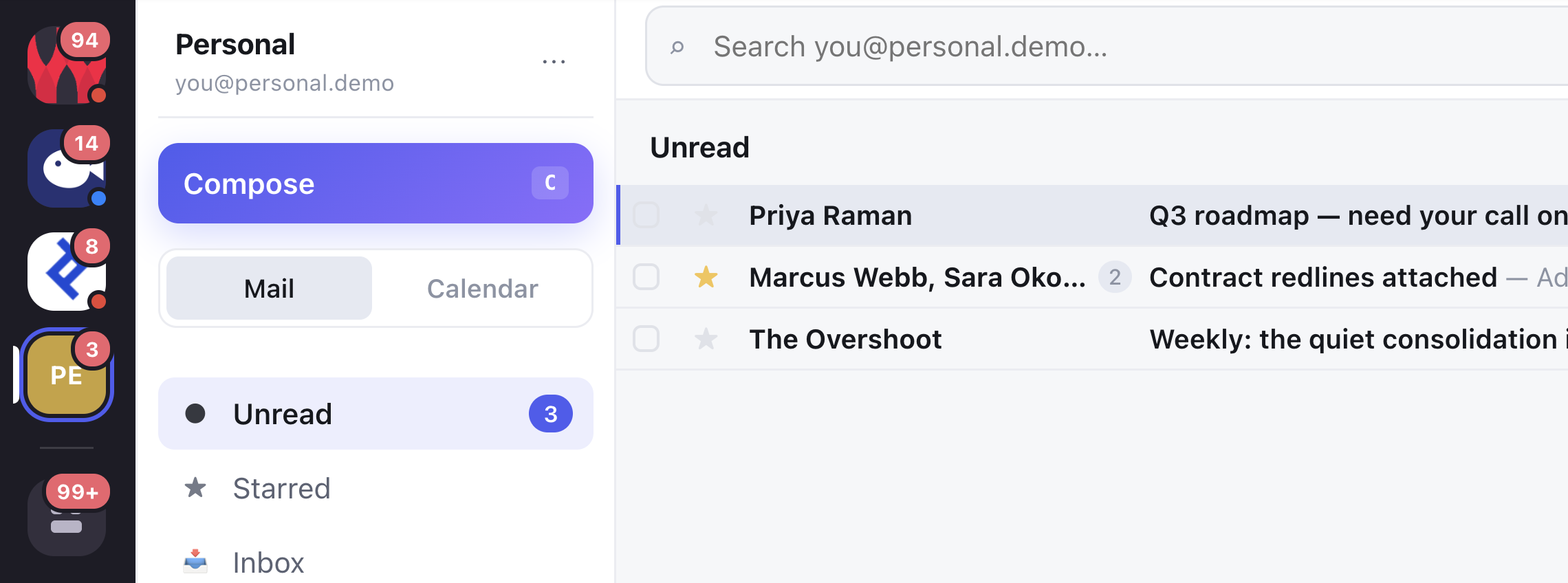
So that's what we did. It's called Wakeflow Mail, it lives at our own domain, and it does exactly what I want — because every feature in it exists only because I asked for it.
How it works
- I told Claude Code what I wanted: one unified inbox across any number of Gmail and Outlook accounts, keyboard-first, Gmail's shortcuts. It scaffolded a Node/React app where each provider implements the same six functions — so the UI doesn't know or care whether a thread came from Gmail or Microsoft Graph.
- OAuth was the fiddly part. Claude scripted the entire Microsoft Entra app registration with the Azure CLI, and walked me through the Google consent screen (including the fun discovery that I have two Microsoft identities with the same email address).
- We deployed it to Cloud Run behind our own domain with a password gate, encrypted token storage in a bucket, and a one-command deploy script. When the region turned out not to support custom domains, Claude moved the whole service to another region and re-pointed DNS.
- Then came the part that sold me: iteration at conversation speed. "Make the compose modal centered." "Let me resize pasted images like Gmail does." "Give every view its own URL so reload works." "Autocomplete recipients." Each request landed in the deployed product minutes later — including the invisible plumbing, like converting pasted images to proper MIME inline attachments so Gmail and Outlook don't strip them.
- Every change shipped with tests, was verified in a real browser session (Claude drives Chrome, clicks through the flows, screenshots the result), and deployed itself.
The stack
- Claude Code — the whole engineering department: wrote the code, ran the terminal, drove the browser, fixed the cloud config, deployed every revision
- Node.js + Express, React + Vite — the app itself, no framework magic
- Gmail API + Microsoft Graph — the two mail providers behind one interface
- Google Cloud Run + Secret Manager — hosting for pennies a month, secrets done properly
- gcloud + Azure CLI — infrastructure changes as chat messages
What surprised me
The code was never the hard part. Of the whole build, maybe 20% of the effort was "writing an email client" and 80% was the stuff around it — OAuth consent screens, tenant mix-ups, region limitations, DNS, token encryption. That's exactly the part where an AI that can read error messages and drive a terminal shines. My job was reduced to two things: deciding what I wanted, and clicking "approve" on the occasional login screen.
The other surprise: how quickly "good enough" becomes "better than the paid thing" when the feedback loop is minutes. Superhuman can't move my "All inboxes" button to the bottom of the rail because I prefer it there. My client can — it did, about ninety seconds after I mentioned it.
Bigger picture
We're heading into a world where the answer to "which tool should we buy?" is increasingly "none — describe the tool you want." Per-seat SaaS pricing was built on the assumption that software is expensive to create and maintain. That assumption is collapsing. It won't kill great products — but for internal tools and personal workflows, the build-vs-buy line has moved so far toward "build" that a two-person company can now own a bespoke email client, tailored to its exact habits, hosted for the price of a coffee. Software is becoming something you grow around your workflow, not something you bend your workflow around.
Get in touch
If you're paying for a tool that almost fits, or you're curious what a custom-built version of your daily workflow would look like — I'm happy to chat, show you this project in detail, or build something similar for you. Drop me a line at andi@wakeflow.io.